

What This Tab Lets You Do
This tab displays a searchable and filterable list of all uploaded knowledge assets, including:- PDFs
- JSON files
- Excel documents
- Meeting notes
- Public URLs
- File Name: The original name of the file or URL uploaded.
- Project ID: Indicates which project the file is associated with.
- Upload Date: Timestamp of when the file was added.
- Type: Format of the file (pdf, json, xlsx, meetings, url).
- Status: Indicates whether the file has been successfully synced or if it encountered an error.
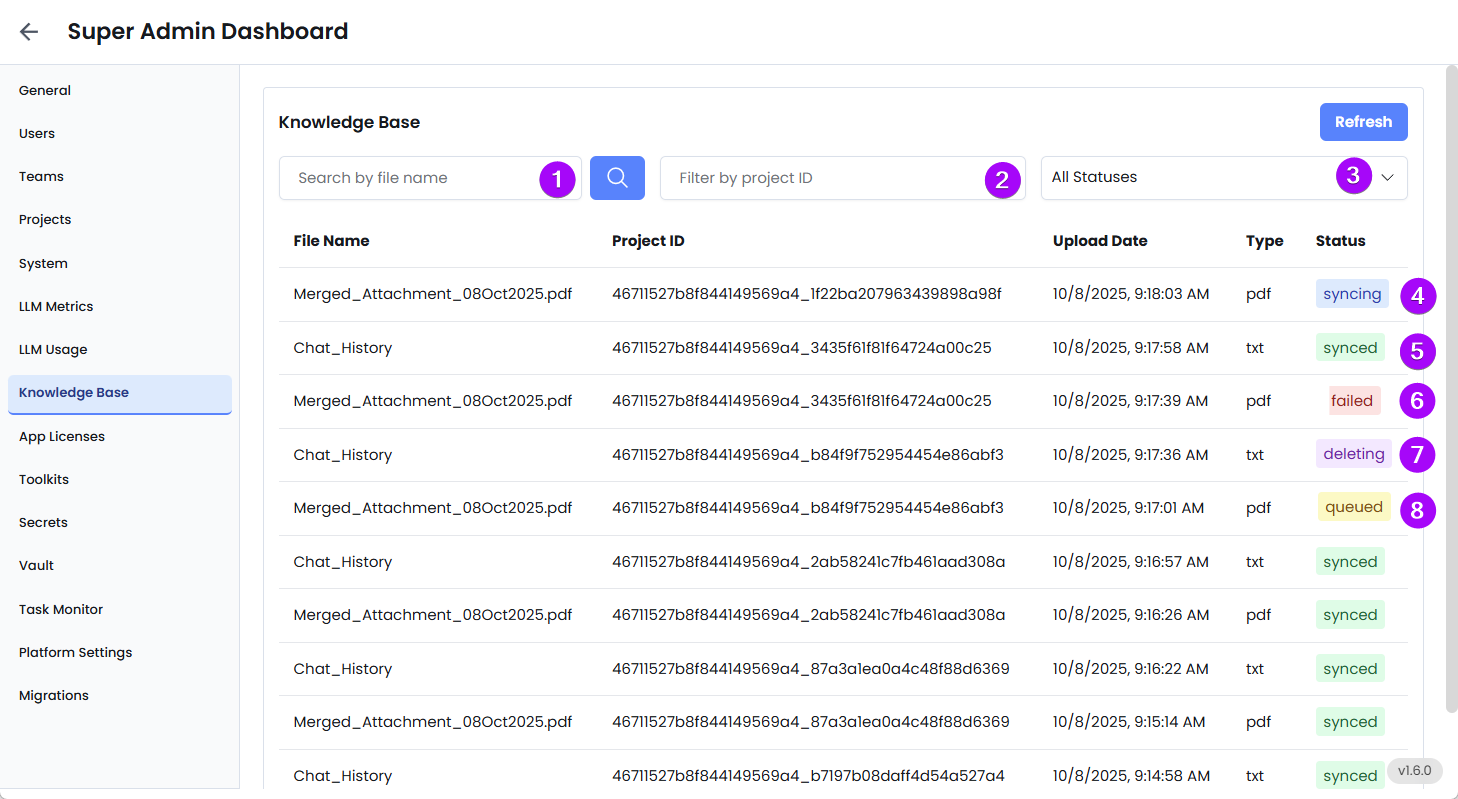
- Search by File Name – Quickly locate specific files.
- Filter by Project ID – Narrow down files by the project they belong to.
- Filter by Status – View only synced or failed files.
- Syncing: File in the process of being Synced.
- Synced: File was successfully processed and is available to the AI agent.
- Failed: There was an error while syncing the file—possibly due to formatting issues, invalid content, or connection problems.
- Deleting: File in the process of being deleted.
- Queued: File that is queued for processing.
Admin Tips
- If a file is not synced correctly, the AI will not be able to reference or use it, which may lead to incomplete answers or system errors.
- Always review the file type and formatting before uploading (e.g., ensure JSON is structured, PDFs are text-readable).
- Use meaningful file names to make searching easier.
- Regularly monitor the Status column to catch failures early.
- For failed files, re-upload after correcting the issue or contact support.